The deliverability playbook
The inbox is a privilege, not a right.
What this is. This is the field guide to the layer nobody sees and everybody blames. Deliverability is the percentage of your emails that reach the inbox, and it quietly decides whether cold email prints money for you or drains it. The guide walks the whole stack, from the IP under your domains to the DNS records that prove you are who you say you are, then through the parts most teams get wrong: list quality, message shape, sending pace, and the warm-up that has to match what you send. It ends with what is overrated, because half the advice in this category is folklore.
01What Is Email Deliverability?#
Deliverability is simple to define. It is the percentage of your emails that reach the inbox.
That is it. But it is also the one thing that decides whether cold email prints money for you or drains it.
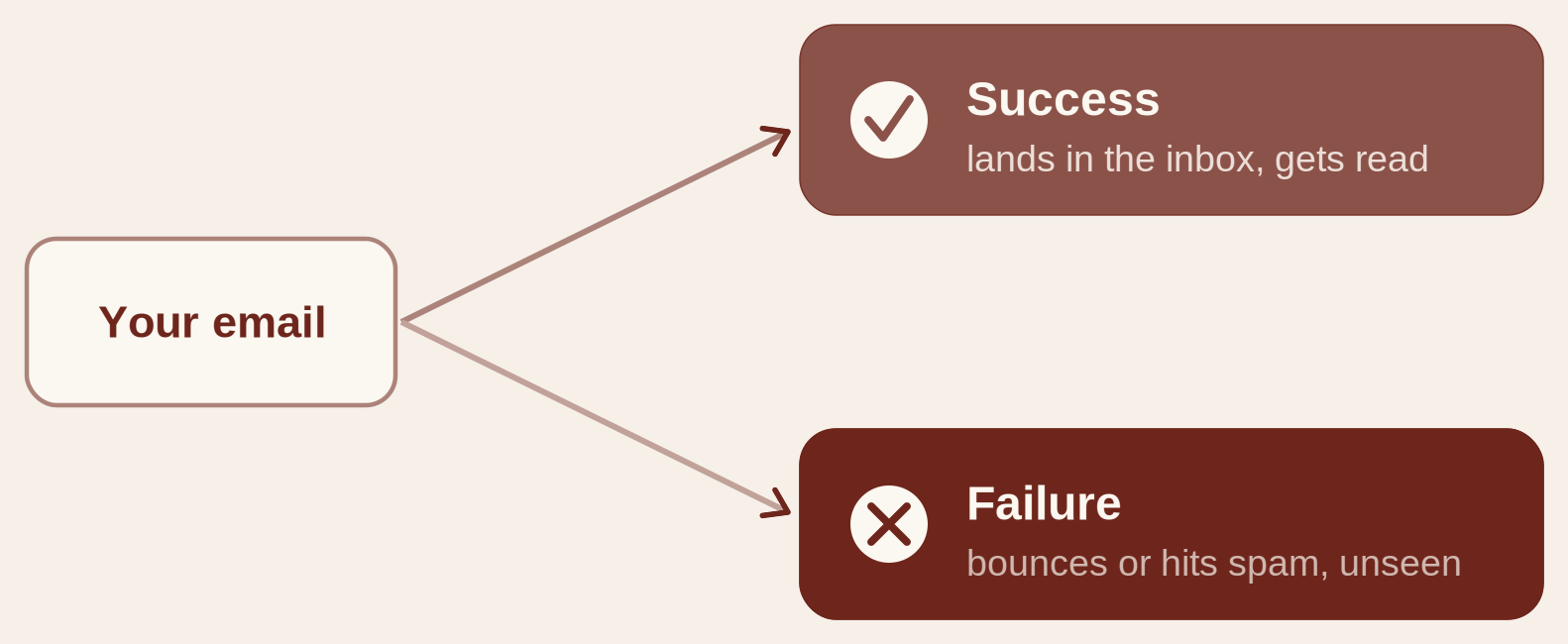
Here is why. Every email you send ends up in one of two places.
The first is success. Your email lands in the inbox, where a real person can see it, open it, and reply. This is the whole point. An email in the inbox has a chance to start a conversation, book a call, and turn into revenue.
The second is failure. Your email either bounces, which means it never gets delivered at all, or it slides into the spam folder and sits there unseen. Nobody digs through their spam folder looking for opportunities. An email in spam is invisible, and invisible emails do not make you anything.
02How Providers Sort Your Email#
Landing in the inbox is not automatic. Getting delivered and landing in the main inbox are two very different things.
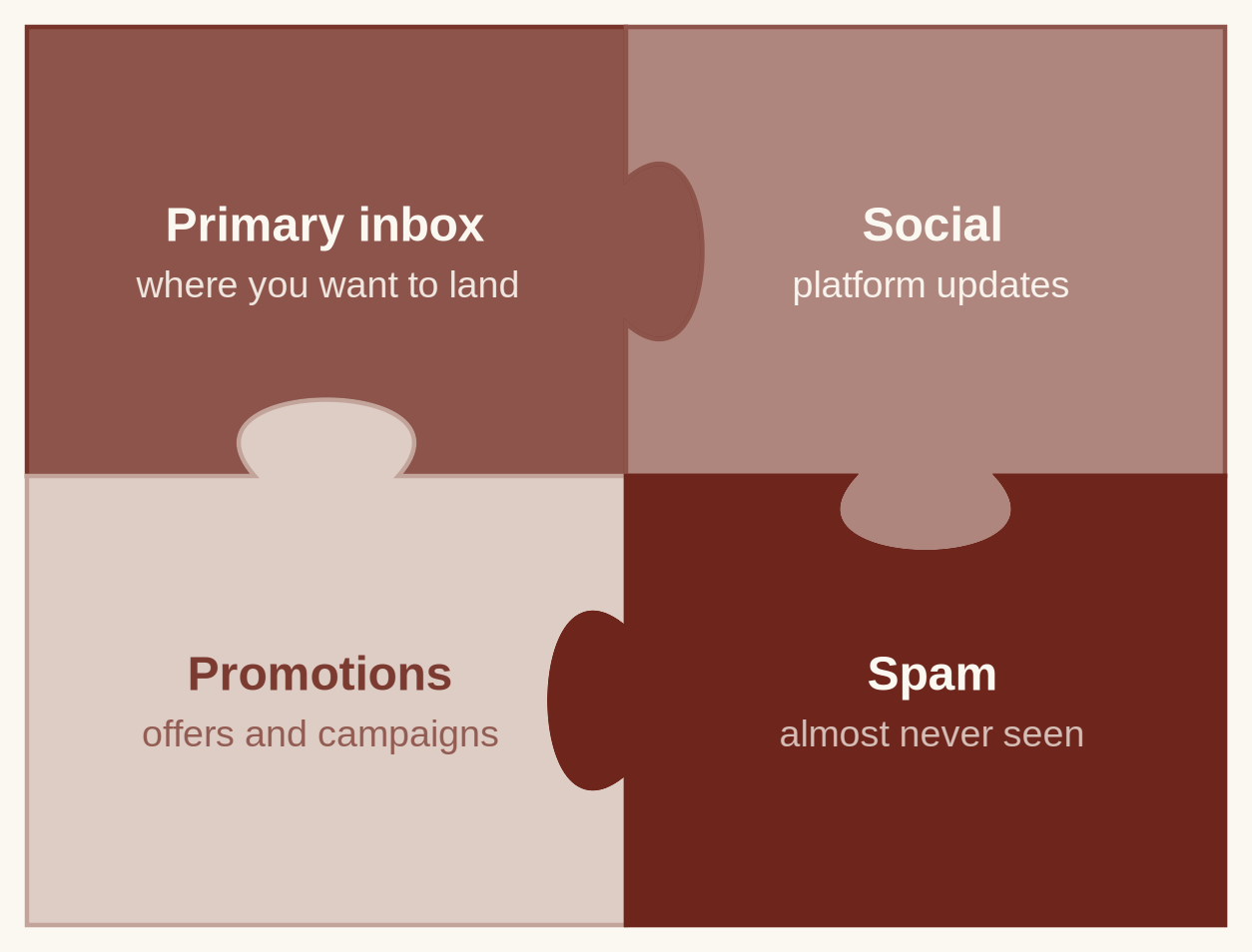
Think of email providers like Gmail and Outlook as a giant sorting facility. Every email that arrives is treated like a package coming into a warehouse. Before it ever reaches the person, it gets inspected, judged, and sent off to one of several areas. The provider decides which area based on one thing: how trustworthy you look. There are four places your email can land.
- Primary inbox. This is the spot you want. It is the main inbox the person reads, checks all day, and replies from. Land here and you have a real shot at a response.
- Social. This is where updates from social platforms get grouped. Not where a cold email wants to be, but not a disaster either.
- Promotions. This is where marketing, offers, and anything that smells like a campaign gets filed away. People almost never open this tab planning to reply. Land here and your response rate dies.
- Spam. This is the black hole. Emails here are flagged as unwanted or unsafe, and almost nobody scrolls through spam. An email here is as good as never sent.
The provider is not flipping a coin. Every single time you send, it reads dozens of small signals. Is this domain set up and authenticated properly. Does it have a real website behind it. Are people replying, or are they marking it as spam. Is your sending volume steady, or is it spiking all over the place. Does the message read like a human wrote it, or like a machine blasted it out. The good news is you can control those signals.
03The Foundation: IP, Domain, Inbox#
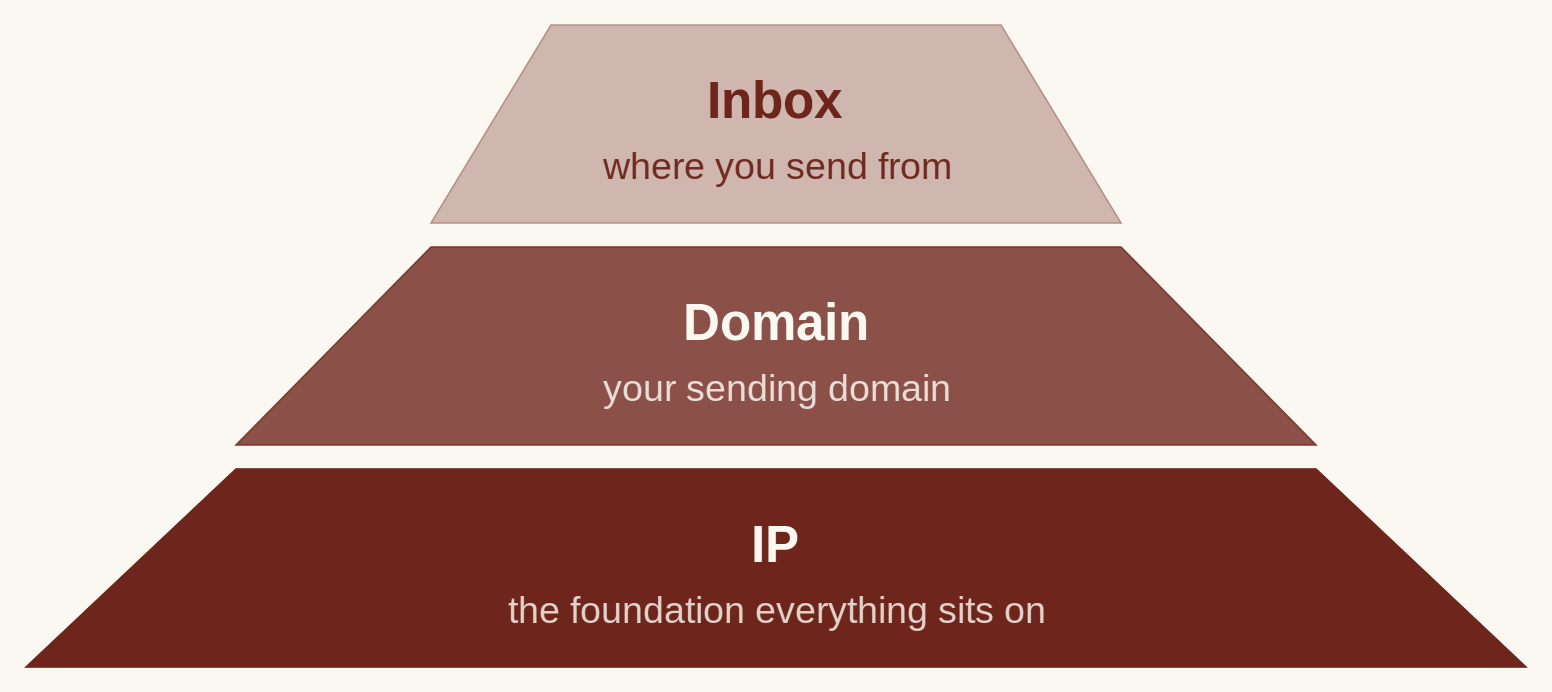
Before you send a single email, it helps to know what your setup is built on. Underneath everything sit three layers: the IP, the domain, and the inbox. They stack on top of each other, and each one leans on the layer below it. How it works behind the scenes.
The IP is the foundation. It is the address your emails are physically sent from. If the IP goes bad, everything above it goes down with it, both your domains and your inboxes.
The domain sits on the IP. This is the name your emails come from, like getyourcompany.com. If a domain gets burned, the IP underneath is fine, but every inbox attached to that domain breaks.
The inbox sits at the very top. It is the individual account you send from. If one inbox gets burned, the damage usually stops there, and the layers below it stay fine.
04Domains#
Domains are part of the foundation, and nothing sends until they are set up. So this is where the real build starts.
Never send cold email from your real domain. When you are firing out hundreds of thousands of emails, that volume wrecks the reputation of your main domain fast. And if your main domain gets burned, everything tied to it takes the hit, including your normal business email. So you keep your real domain clean and buy separate domains just for sending.
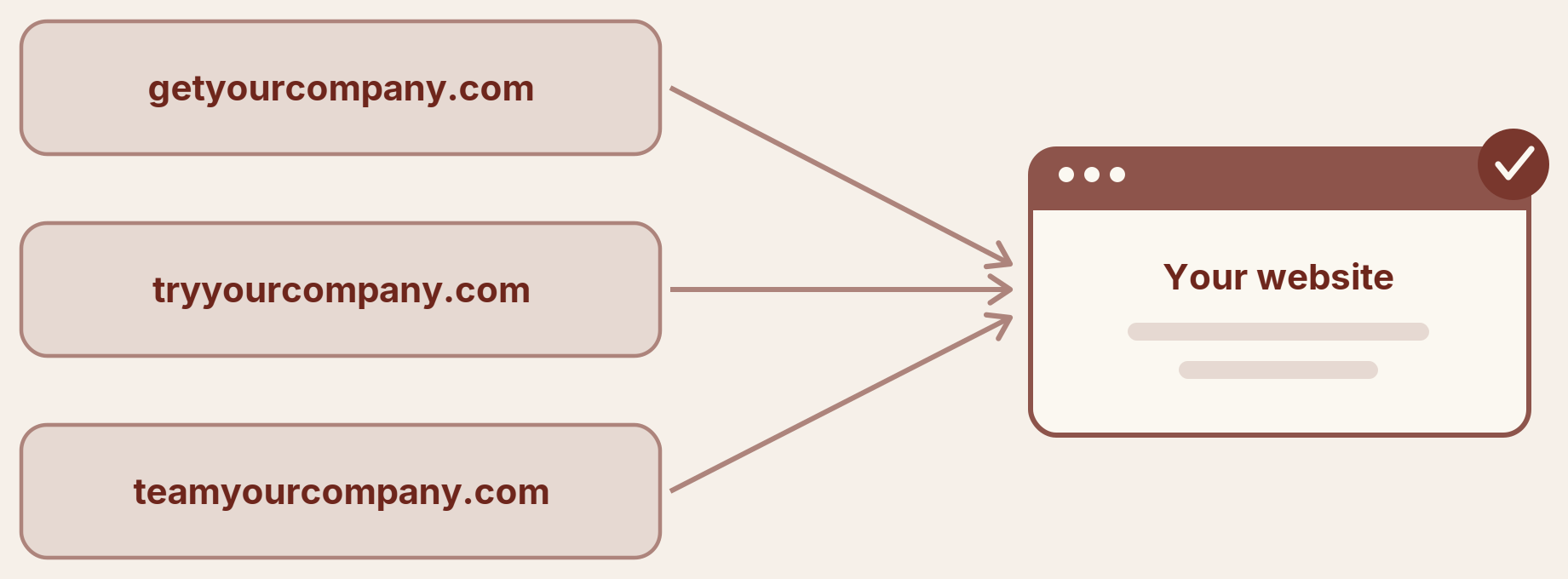
The way to go is lookalike domains. You take your brand and add a word in front of it. If your company is yourcompany.com, you buy getyourcompany.com, tryyourcompany.com, or teamyourcompany.com. They look close enough to the real thing that nobody blinks, and they match your brand, so when someone looks you up before replying, they know exactly who they are dealing with. The only downside is they take some time to warm up.
There are two ways to do this, and it comes down to slow and safe versus fast and slightly less safe.
- Lookalike domains (slow and safe). These match your brand. People look you up and find a real company behind the name, which builds trust and gets you better replies. The trade is time: they need to warm up before you can push volume. This is what I recommend.
- Non-branded domains (fast). These are pre-warmed, completely random domains you can just buy and send from right away. People still try to look you up, but they find nothing because there is no brand attached. You lose the trust, but you get volume fast.
Now the part that protects you. Every sending domain needs a real website behind it. When Google and the big spam lists check you, they look for a site tied to the domain. If there is nothing there, your credibility drops and you start landing in spam. So you do one of two things: redirect the lookalike domain to your main website, or clone your site and drop a copy on each domain. Both make the domain look real to the ESPs, which is the entire point.
Last piece is the extension you buy. Domains come in three tiers, and the cheaper they are, the faster they burn.
- Tier 1: .com and .co. The best and longest-lasting. Around $12 each.
- Tier 2: .io. Second longest. Around $2.50 to $3.
- Tier 3: .info, .help, .xyz. Far cheaper, around $1.50, but they do not last long.
Cheaper extensions are fine if you put the savings back into better infrastructure. Just know the trade: less money up front, shorter lifespan.
05The Three Inbox Types#
An inbox is the account you send your emails from. Before you send anything, you have to decide what kind of inbox you are sending from, because it changes everything: your deliverability, your cost, and how long your setup lasts.
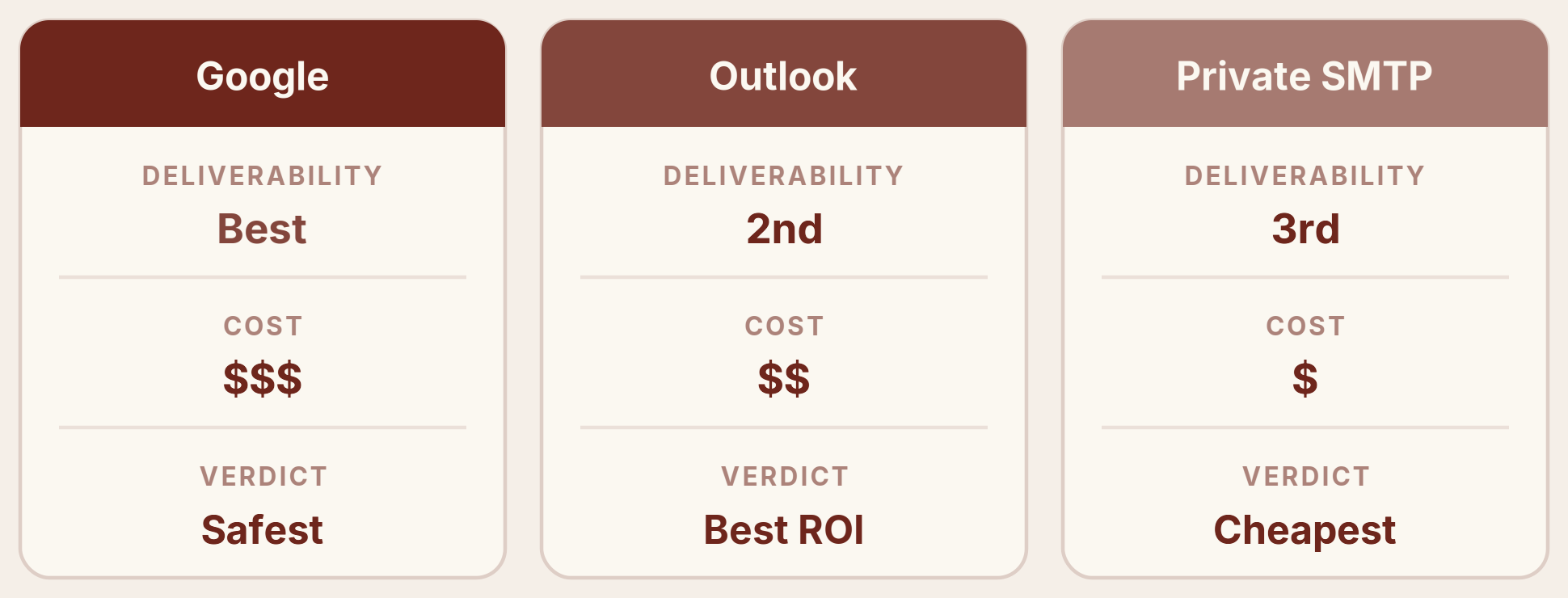
Google Workspace. The gold standard. Google will always have the best deliverability, full stop. It is also the most expensive. It is the safest option and lasts the longest, up to a year before you need to swap anything out.
Outlook. Second best on deliverability and middle of the pack on cost. What makes Outlook special is the return on investment. It is cheap enough that you can attach a lot of mailboxes and just hammer out volume, which is why it is the best value by far right now.
Private SMTP. The cheapest of the three and third on deliverability. Best used for cheap, diversified volume and for testing new copy and angles before you move them onto your Google inboxes.
The numbers
What each type can do, per domain, and what it costs.
- Google: 5 mailboxes per domain, about 20 emails per day per mailbox. Around $2.70 per inbox to run, plus about 20 cents a day per inbox to send.
- Outlook: up to 100 mailboxes per domain, about 5 emails per day per mailbox. Around $0.50 per inbox to run, plus about 5 cents a day per inbox to send.
- Private SMTP: 5 mailboxes per domain, about 20 emails per day per mailbox. Around $2 per inbox to run, plus about 15 cents a day per inbox to send.
One rule ties them together: the cheaper the infrastructure, the better your cold email game has to be. It is easy to land in the inbox with Google. It is harder with Outlook or SMTP, but very doable once you know what you are doing. That is exactly how good senders run cheap volume at scale.
When to use each
- Google: when you are going after C-suite, enterprise, or high-value deals, when deliverability matters more than cost, when your team is small and you cannot afford to burn your list, or when you want the safest setup that lasts.
- Outlook: when you want to send a lot. Big team, high volume, best ROI, just hammer it out. It also makes sense when you are targeting large enterprises, which often run heavy spam filters.
- SMTP: when you need cheap volume to diversify and protect your premium inboxes, and when you want to test new copy before promoting it to Google.
06DNS Records: SPF, DKIM, DMARC#
Before an inbox sends anything, it needs three DNS records in place: SPF, DKIM, and DMARC. These are the technical checks that prove your emails come from you, and not a spammer pretending to be you.
You do not need to master how they work. You just need them set correctly on every sending domain. Skip them and you land straight in spam, no matter how good everything else is.
In plain English:
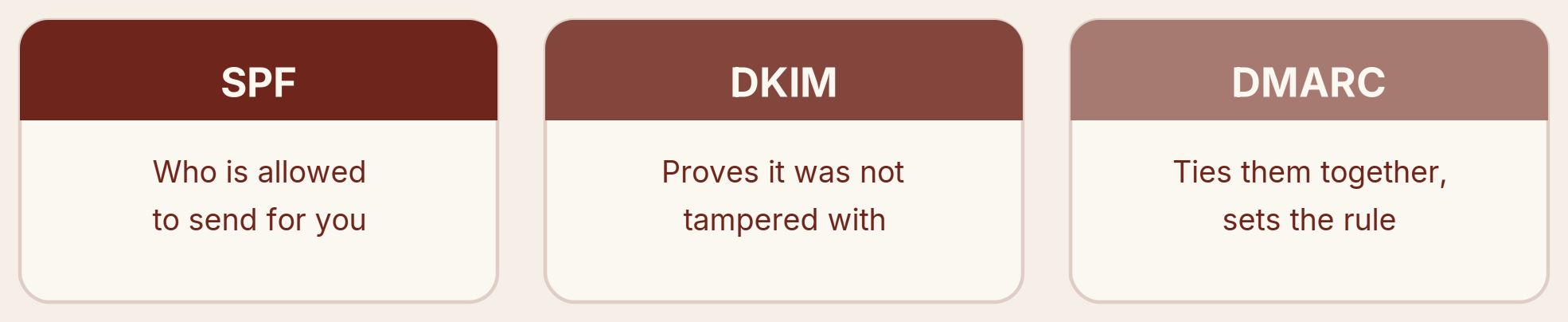
- SPF says which servers are allowed to send email for your domain.
- DKIM adds a hidden signature that proves the email was not tampered with on the way.
- DMARC ties the two together and tells inbox providers what to do if something does not check out.
NON-NEGOTIABLE No SPF, DKIM, and DMARC means straight to spam. Set all three on every sending domain before you send a single email.
07Targeting and Your Lead List#
Your data decides a huge amount of your results. Great copy sent to a bad list still fails. So before you write a single word, get the list right.

Verify every email. Only send to verified addresses and throw the rest away. Bad addresses bounce, and bounces wreck your reputation. If your bounce rate climbs above about 2%, stop and check your data first, then your sending tool. Handle catch-all addresses carefully: skip them, or run them through a proper catch-all check before sending.
Send to the right people. The lead has to be a fit for what you are offering. Pitch the wrong person the wrong thing and they mark you as spam, and that tells the inbox providers to send you to spam for everyone. Relevance is not a copy problem, it is a deliverability problem.
Segment tightly. Break your list down by industry, role, company size, or a trigger like a recent hire or funding round. The tighter the segment, the more your message lands, the more people reply, and the better you look to the providers.
Match the platform. Where you can, send like to like: Gmail to Gmail, Outlook to Outlook, SMTP to SMTP. Same-platform sending tends to land better.
08Messaging#
Once the list is right, the message has to earn the reply. The single biggest rule: sound like a human. Before you send, ask what a real person would write to one other person, then write that.
A few rules keep you human and out of spam:
- Keep it short, one idea per email. Do not stack five questions or pitch everything at once.
- Avoid spam words like free, money, buy now, and urgent. That is the language of mass marketing, and filters are trained to catch it.
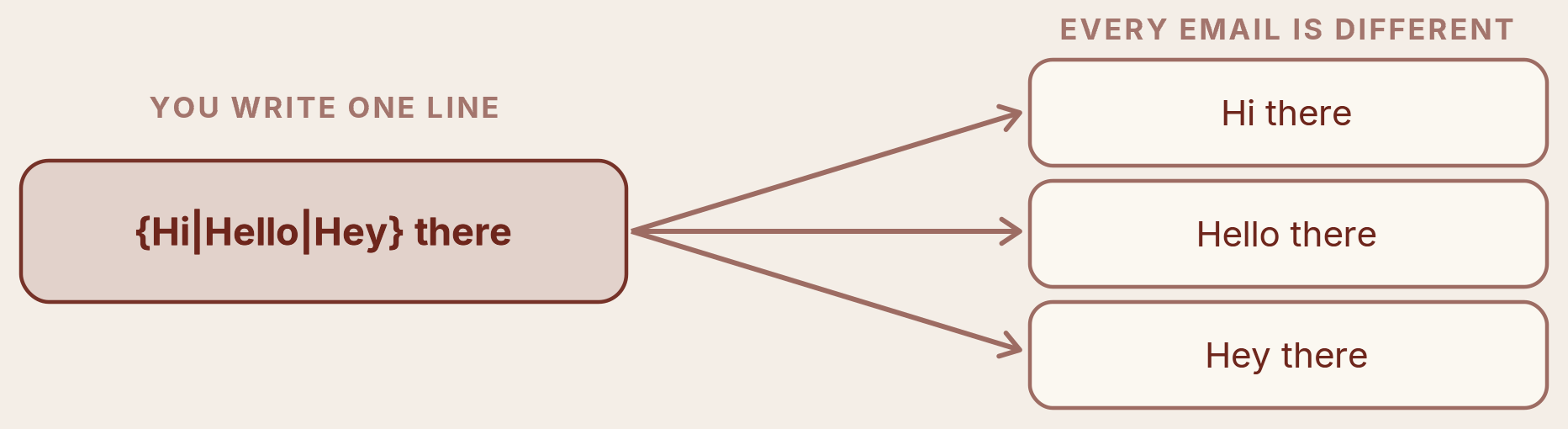
- Use spintax. These are small variations of your words so no two emails go out identical. It matters a lot at scale.
- Personalize with AI the right way. Full, one-to-one emails researched per prospect work. Fake first lines like “I saw you went to Harvard” do not, because providers see through them and prospects do not care.
- Rotate your copy every couple of weeks, and on high volume run several versions at once so you are never sending the same thing over and over.
09Sending#
How you send matters as much as what you send. Get the format and the timing right and you remove most of the reasons filters flag you.
Format. Send plain text only. No links, no images, no HTML. Those are the fingerprints of marketing email and they drag you toward spam. And turn off open tracking. The tracking pixel flags you as a marketer, and since Apple's privacy update it is not even accurate anymore.
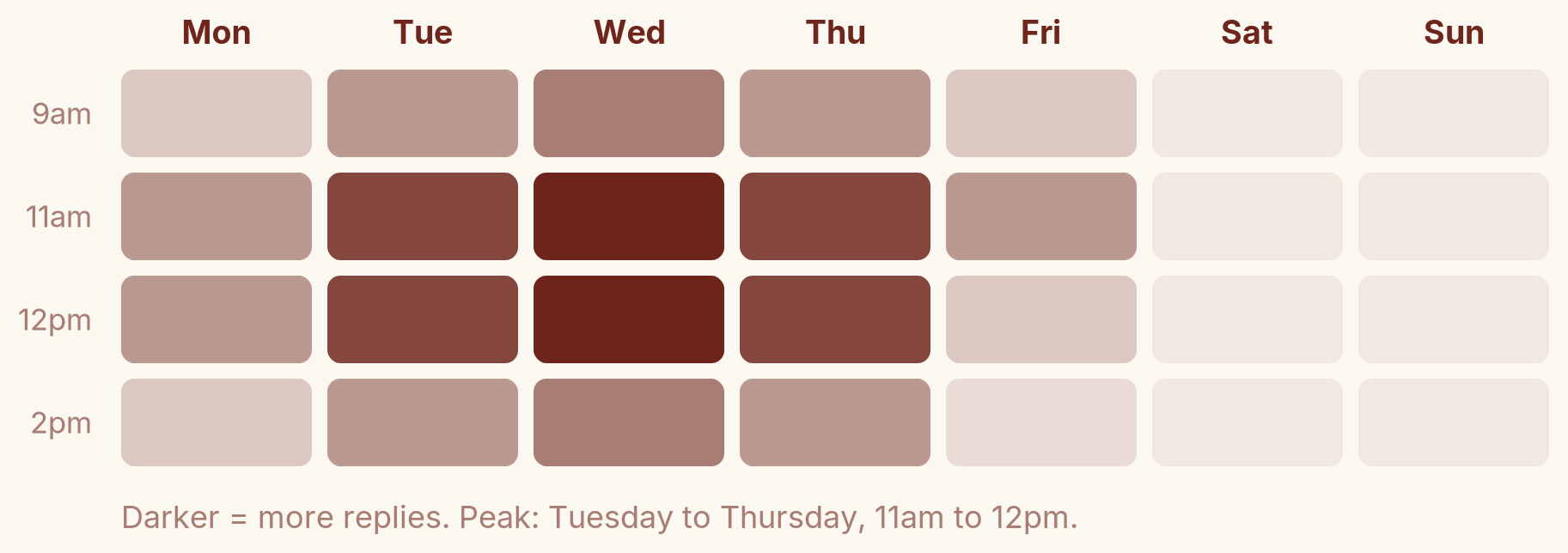
Timing. Send during working hours, 8am to 3pm, Tuesday to Thursday, with Wednesday the peak. The sweet spot is around 11am to 12pm in the recipient's local time (Central time for the US market). No weekends.
Volume and pacing. Around 20 emails per day if you use google or smtp per inbox and 5 for outlook. That is the ceiling now; the old play of 100 a day per inbox burns you fast. Spread them across the day. Twenty emails over a seven-hour window is about one every twenty minutes, and you want to randomize that gap, somewhere between 15 and 25 minutes, so it does not look robotic. Keep your volume steady day to day too. Sending 100 one day and zero the next tells the providers something is off.
10Monitoring and Maintenance#
Infrastructure is not set and forget. You watch it, and you act early when something slips.
- Test your placement. Tools like MailChecker, MailGenius, GlockApps, and MailTester show roughly where you are landing. Treat them as a gut check, not gospel, since they do not use the exact signals the real providers do.
- Watch the blacklists. Check MXToolbox for the big lists like Spamhaus and SURBL. If a domain or IP gets listed, that is your signal to buy fresh infrastructure or pause and wait for it to recover.
- Kill losing campaigns early. If reply rate starts sliding, stop and swap the list. Letting it run just burns your leads and damages your infrastructure. Do not hope it fixes itself.
- Keep backups warm. Always have a spare batch of warmed inboxes ready so you never pause client work when something burns. If inboxes do burn, deploy the backups or pause everything and warm up for two weeks.
- Rotate inboxes (optional). Run one batch for a week, pause it, and swap to another. It costs about twice as much, but it is safer.
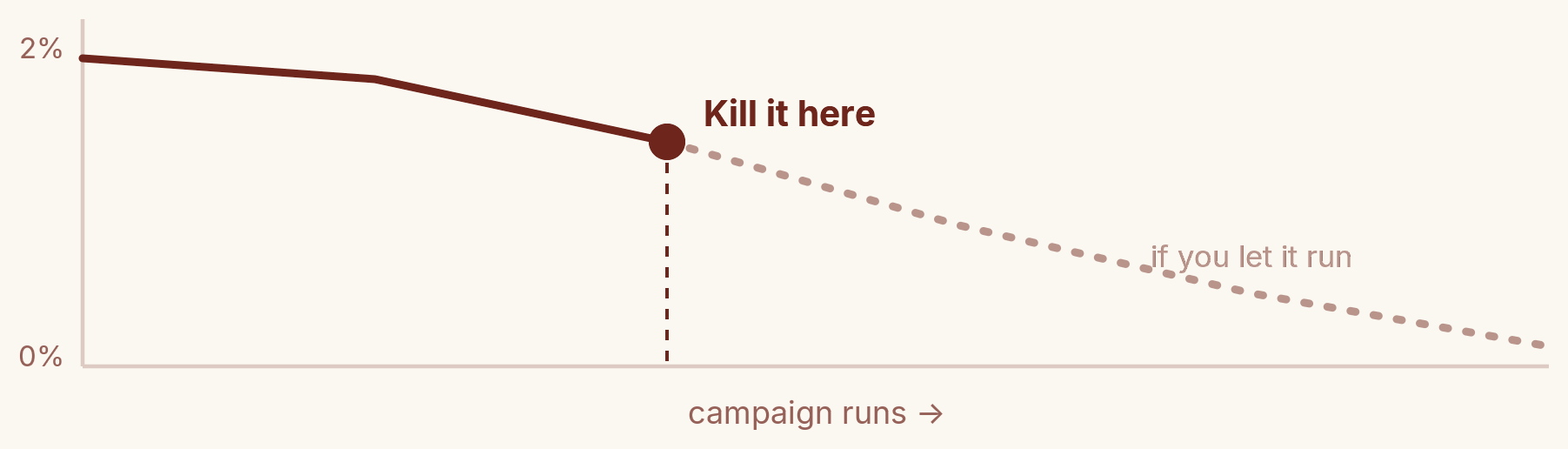
And the long game: your targeting and messaging should get sharper over time. Maybe CEOs reply more than CMOs, medtech more than agencies, the US more than Europe. Stack ten small edges like that and they compound into a 10x difference in performance.
11Warm-Up#
A fresh inbox cannot start blasting on day one. It has to be warmed up first, which means slowly sending and replying to build a track record before it ever touches a real prospect. Skip this and you burn the inbox immediately.
Each inbox type warms up differently, and the longer you let it run, the better your results once you go live.
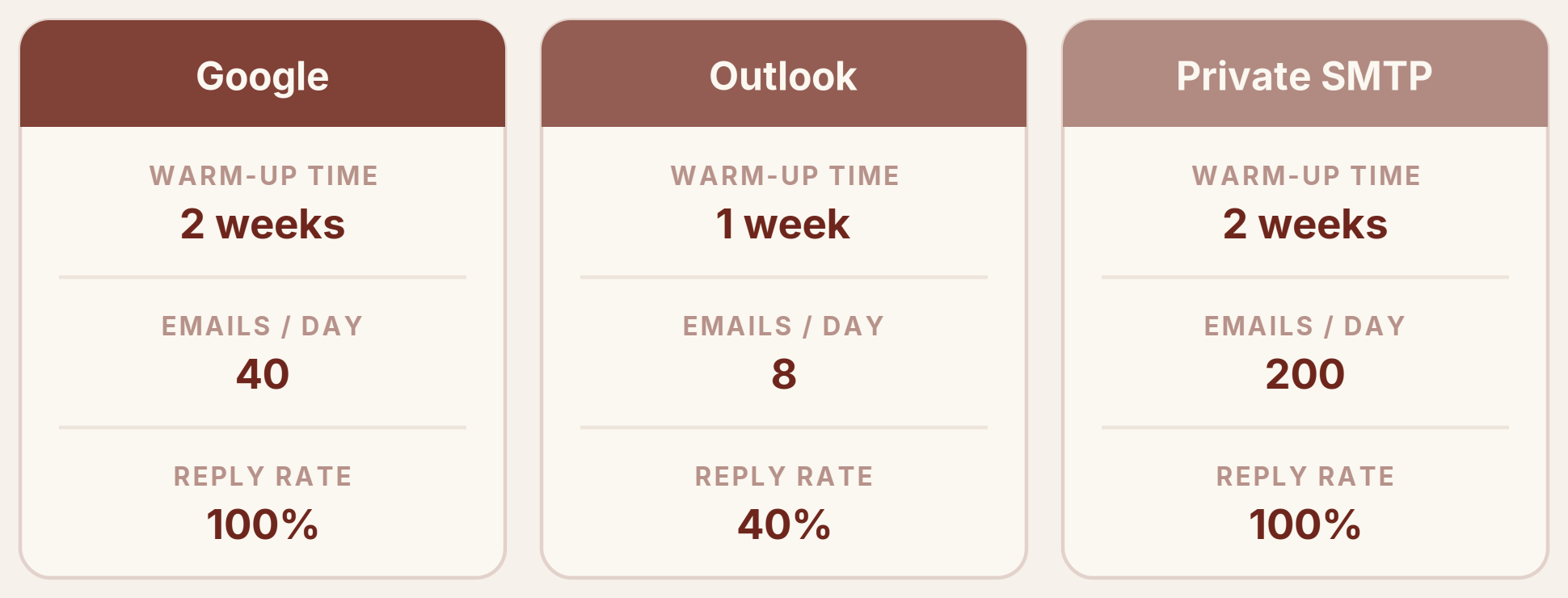
- Google: two weeks, about 40 warm-up emails a day, at a 100% reply rate.
- Outlook: one week, about 8 a day, at a 40% reply rate.
- Private SMTP: two weeks, about 200 a day, at a 100% reply rate.
One more thing that makes a real difference: warm up with content similar to what you will send. If you warm up on generic filler and then switch to your real cold email overnight, that sudden change looks suspicious. Keep it consistent from the start.
12The Tech Stack#
You do not have to reinvent any of this. The exact stack we use, tool by tool, across the whole process.

- Infrastructure: Maildoseo for Google and SMTP, Maildeck for Outlook.
- Verification: Reoon for standard checks, BounceBan for catch-alls.
- Warm-up: Instantly AI for Google.
- Sending: PlusVibe.
- Testing: MailChecker, MailGenius, GlockApps, and MailTester to check placement.
One warning on the sending tool. Your sequencer choice matters more than people think. Cheap or lifetime-deal sequencers can misfire: you set it to send 5 a day and it sends 50, and just like that your inboxes and your list are cooked. Do not cut corners here.
DON'T CHEAP OUT Spend up front on solid infrastructure and a real sequencer. The cheap route burns, and you end up paying more to rebuild what you lost.
13What's Overrated#
Plenty of cold email advice sounds smart but barely moves the needle. Do not waste your time or money on these.
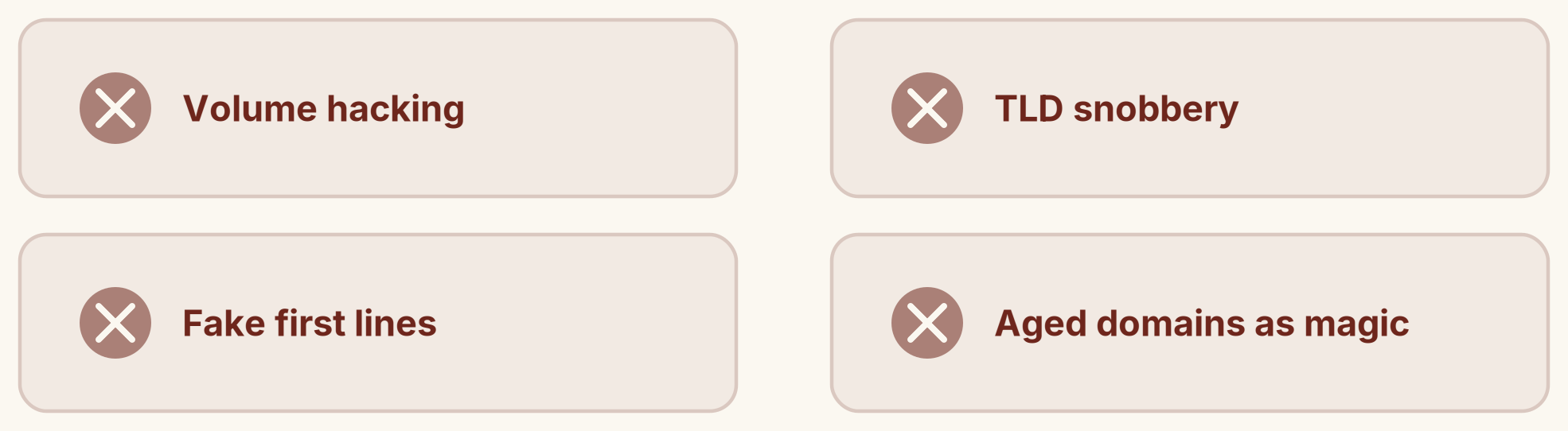
- Volume hacking. Sending more will not fix a weak campaign. If it is not working at low volume, scaling it up just scales the problem. You get more of the bad, not more of the good.
- TLD snobbery. Obsessing over .com versus .info misses the point. Reputation matters far more than the extension.
- Fake first-line personalization. “I saw you went to Harvard” fools no one. Providers see through it and prospects do not care. Real one-to-one personalization is a different thing, and worth it.
- Aged domains as a magic fix. An older domain gives a small boost, not a miracle. It is not the thing standing between you and the inbox.
Deliverability is not a trick you apply at the end. It is the sum of every decision upstream: who you put on the list, how human the message sounds, how fast you ramp, and whether the domain underneath it all has a real business behind it. Providers are reading those signals whether you manage them or not. Manage them, and the inbox stops being a lottery.
If you would rather have this run for you than run it yourself, that is the conversation this was meant to start. Book a working session at close3x.com/demo or revenue.inc/demo, and we will map your setup and show you exactly where the leaks are.